Read any brand’s copy about what happens after you buy and you will meet a business that adores you. “We delight our customers.” “White-glove onboarding.” “A welcome series crafted to make you feel at home.” There is a “knowledge base,” lovingly curated. There is a “customer success” function, which is a job title now. The language is the language of devotion.
Then you actually buy something. A confirmation email lands — order number, a tracking link, a cheerful “thanks for your purchase!” — and after that, silence. The thing arrives. You open the box, or you log in, and you are alone with it. The welcome series, if it exists, is three discount codes wearing a lanyard. The knowledge base is a search box that returns nothing useful. The “success” you were promised turns out to be entirely your own responsibility. You figure it out, or you don’t, and the brand finds out which one it was about a quarter too late to do anything about it.
That gap — between how businesses talk about post-purchase care and what most of them actually do, which is nothing — is the whole subject of this chapter. EDUCATE is the obligation everyone claims and almost nobody honours. And the reason to honour it is not that it is nice. It is that the neglected obligation is hiding a commercial lever most businesses never pull.
The sale is made. UPSELL has done its work — you offered what was worth offering, and the customer accepted as much as they wanted. The order is confirmed, the payment cleared, and from the customer’s side of the screen the journey feels finished. From yours, it has barely started.
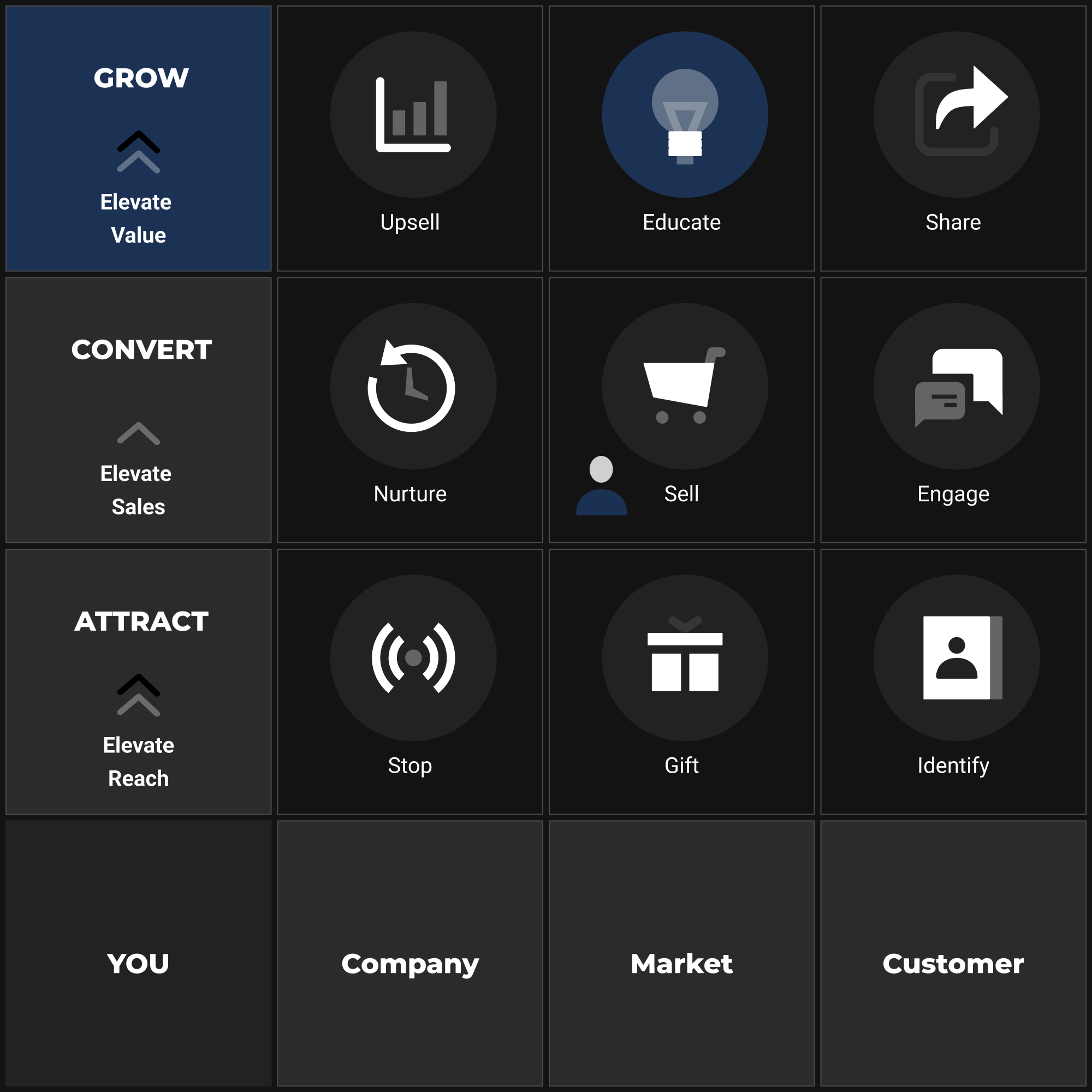
You are now in the GROW level, and EDUCATE is the step where the relationship either deepens or quietly dissolves. Most businesses pick “dissolves” without ever deciding to. They treat the confirmation email as a full stop rather than a comma, snap their attention back to acquisition, and leave the new customer to find their own footing. Some of those customers manage it. Many do not — and the ones who do not, the confused and the underwhelmed and the simply under-supported, do not come back. They do not complain. They just fade. Because they fade quietly, most businesses never connect the attrition to its cause: the distance between what was promised at the point of sale and what was delivered in the days that followed.
EDUCATE is the post-purchase onboarding and success sequence that closes that distance. It is not NURTURE, which was pre-purchase — a sequence built to carry an unconverted prospect from interest to readiness, building trust and answering hesitation before the sale. NURTURE ended the moment the customer bought. EDUCATE begins at that same moment and carries the relationship forward. Where NURTURE answered should I buy this?, EDUCATE answers the harder question the customer is now actually asking: now that I have, how do I get the most from it?
The objective of this step: to guide every new customer through a deliberate onboarding and ongoing education sequence that accelerates their time to value, deepens their loyalty, and generates the CustomerDataPoint intelligence — gathered through behavioural signals and structured feedback — that feeds the Insight Loop back into your Foundation and into REFINE.
Why the post-purchase window decides everything
There is a precise window, usually within forty-eight to seventy-two hours of purchase, when a customer’s emotional commitment is at its most malleable. The anticipation that carried them through the buying decision is dissolving into reality. If reality confirms the promise — if they achieve something quickly, feel supported, get an early win — the emotional ledger tips toward satisfaction and loyalty starts to set. If reality disappoints, even slightly, buyer’s remorse rushes into the empty space instead, and no amount of later marketing reliably recovers it.
This is the psychology behind what product teams call time to value: the interval between purchase and the moment the customer first feels the benefit they bought the thing for. Shortening that interval is the single most powerful move available to you after the sale. Not because it is a kind gesture — because value experienced early is the mechanism that converts a transaction into a relationship. A customer who gets a meaningful result in week one renews, reorders, and refers. A customer still squinting at a setup screen in week three becomes a support ticket, a one-star review, and a repeat purchase that never arrives.
Beneath time to value sits a quieter, more durable force, and it is worth naming plainly because it explains most of what follows: the consumption gap. A product bought but never properly used delivers no value, builds no loyalty, and produces no repeat purchase — and the space between purchase and consumption is where most retention quietly bleeds out. The customer who unboxes the supplement and abandons it in a cupboard, who buys the course and never opens lesson one, who installs the software and never logs back in after the trial, has not had a bad experience with your product. They have had no experience with it. And a customer who never used what they bought has no earthly reason to buy it again. The most reliable predictor of whether a customer returns is whether they actually consumed what they purchased the first time. People who use it, stay. EDUCATE, at its core, is the deliberate closing of that gap — not teaching for its own sake, but engineering consumption, because consumption is the raw material loyalty is built from.
In the language of the Multiplier Principle, EDUCATE and SHARE together govern the final term in the chain: repeat and referral rate. This is the lever that decides whether each customer you win generates more revenue over their lifetime than they cost to acquire, or merely breaks even. A weak EDUCATE step does not just forfeit the repeat purchase — it caps the multiplication every earlier lever has been building toward. All the work of HOOK, GIFT, IDENTIFY, ENGAGE, SELL, and UPSELL compounds into a customer who then churns, and the chain snaps at its last link. Strong onboarding does the opposite: it protects and extends every gain made upstream.
The business case is not subtle. Retaining a customer is consistently cheaper than acquiring one — Reichheld and Sasser’s foundational work on retention economics found that even a 5% improvement in retention rate can produce a 25–95% increase in profitability, because the acquisition cost is already sunk and the margin on a repeat purchase is structurally higher (Reichheld & Sasser, “Zero Defections: Quality Comes to Services,” Harvard Business Review, 1990). The exact multiplier varies by category, margin structure, and acquisition channel, but the direction never wavers and the logic is airtight. EDUCATE is not a courtesy. It is a financial argument wearing the costume of one.
The anatomy of onboarding that actually works
Onboarding that drives success has a recognisable shape, and that shape is not “a welcome email, then nothing.” It is a deliberate sequence of four distinct phases, each with one job, and the order matters as much as any single piece inside it.
The first phase is reassurance. The moment after purchase is emotionally exposed. The anticipation is spent, the money has left the account, and before a scrap of value has been delivered there is a brief flicker of doubt — call it post-purchase dissonance, call it buyer’s remorse — that you have to meet head-on. The confirmation and welcome message is not merely logistical; it is emotional. It should name what the customer bought, affirm the decision they made, and connect that decision — in language pulled straight from your Customer Avatar’s goals — back to the outcome they are chasing. The tone is confident and warm, not hollowly congratulatory. You are not throwing a party for the sale. You are beginning the service.
The second phase is activation: getting the customer to their first meaningful use of what they bought. For a physical product, that might be the first time they use a technique you taught them, or the first time they hit the result the product exists to produce. For a digital product or subscription, it is almost always a defined setup milestone. The discipline here is to identify the activation moment — the specific action or outcome that, once reached, sharply increases the odds that a customer stays active and satisfied — and to bend the entire early sequence toward getting the customer there by the most direct route available. Everything that delays or distracts from the activation moment is noise, and the urge to add it is relentless: there is always one more feature to showcase, one more bit of background to provide, one more thing they “should really know.” Resist it. One clear path to one early win beats a comprehensive curriculum that nobody finishes.
The third phase is mastery — or, more modestly, deepening. Once the customer has activated, they are ready to learn more without it feeling like homework. This is where you introduce secondary features, advanced usage, related products or content, the fuller shape of what they now have access to. Mastery education works best delivered progressively — released in stages, not dumped up front — because a customer who has just had their first win sits in a state of receptivity that a freshly-uncertain customer simply does not. They trust you now, a trust earned by the quality of the early onboarding; spend it extending the relationship. The strategic point of mastery is not to flatter the customer with features but to widen and deepen consumption, because the more of the product a customer uses well, the more embedded it becomes and the harder it is to walk away from. Mastery is consumption-gap closure for the second order — the difference between a customer who used the thing once and a customer for whom it has become a habit.
The fourth phase is the re-order prompt — the deliberate, well-timed invitation to buy again. This is the phase most businesses skip outright, treating the repeat purchase as weather rather than something you actively earn. It does not happen by accident. A customer who has reached mastery and is feeling genuine value is, at a specific and identifiable moment, ready to re-order: the consumable is running low, the course is nearly done and a follow-on would extend the progress, the renewal is approaching. The discipline is to find that moment — set by the product’s natural consumption cycle, not by an arbitrary calendar — and meet it with a relevant, low-friction prompt that frames the next purchase as the obvious continuation of the success the customer is already enjoying. Done right, it does not read as a pitch at all. It reads as a useful reminder from a business that knows where the customer is.
Threaded through all four phases is a fifth, continuous activity: feedback collection, the component that turns EDUCATE from a one-way broadcast into a CustomerDataPoint — a genuine signal feeding the Insight Loop. You are not only educating the customer; you are learning from their experience to improve every future customer’s journey. This is the second meaning the step name carries: EDUCATE produces intelligence as well as loyalty. That intelligence flows back into REFINE’s Insight Loop and, from there, into the Foundation — sharpening your Customer Avatar, surfacing product weaknesses, and naming the friction points your acquisition messaging should be addressing.
The craft of the onboarding sequence
The primary delivery vehicle for post-purchase education is the email sequence, and the craft of that sequence is where most businesses either pull ahead or sink back into the pack. An onboarding email is not a marketing email. It does not exist to sell. It exists to serve — to move the customer closer to the outcome they bought the product to reach — and that difference in intent produces a different tone, a different structure, and a different measure of success.
Each email needs to do one thing well. The temptation to fold reassurance, setup guidance, a feature spotlight, a referral ask, and a survey into one tidy message is understandable — it feels efficient. It is the opposite. A customer who opens an email and finds five competing calls to action picks none of them. One email, one purpose, one primary action. Everything else in the craft follows from that single rule.
The signature tool of this step is the Onboarding sequence itself — the post-purchase education flow that carries the customer from delivery through to the next purchase, mapped to the four phases above plus a fifth re-order moment governed by the product’s consumption cycle. A concrete cadence for a standard sequence looks like this:
| Stage | Timing | Purpose | Primary action for the reader |
|---|---|---|---|
| Delivery & setup | Day 0 (immediately post-purchase) | Reassurance and welcome | Read the confirmation; follow the first setup link |
| First-use guidance | Day 1 | Activation guide — the first win | Complete the activation milestone |
| The “aha” win | Day 3 | Confirm and celebrate the first result; the next layer | Recognise the win achieved; explore one secondary use |
| Mastery | Day 7 | Deepen consumption; social proof and community | Join the community, read a success story, access advanced content |
| Feedback check-in | Day 14 | Capture the signal; surface friction | Complete a short CSAT or NPS survey; reply with questions |
| Re-order prompt | Consumption-cycle dependent | Earn the repeat purchase at the natural moment | Re-order, renew, or buy the obvious next item |
This is a pattern, not a prescription. The first five stages run on a fixed calendar because activation is time-sensitive; the re-order prompt deliberately is not, because its timing belongs to the product, not the sequence. A consumable that lasts thirty days earns its prompt around day twenty-five, when supply is running low; a course earns it on completion; a subscription earns it before each renewal. A SaaS product with a thorny setup might warrant seven or eight onboarding emails over thirty days before the renewal conversation begins. A simple physical product — a premium pantry item, a single-use wellness product — might need only three onboarding emails, with the feedback request at day ten and the re-order prompt timed to the moment the product is likely used up. The axis to calibrate the early stages against is your activation moment: how long does a new customer realistically take to reach it, and how many nudges do they need on the way? The axis to calibrate the re-order prompt against is the consumption cycle: when does this customer actually run out, finish, or come up for renewal?
Each email shares a structural anatomy beneath its unique content. An effective onboarding email opens by naming where the customer is in their journey — not where you are in your sequence. “You’ve just taken the first step toward…” lands in a completely different place from “This is email three of our onboarding series.” One is about the customer; one is about your operations, and the customer can smell the difference. The body delivers the single piece of guidance or value the email exists to provide, in plain language, with a specific action clearly stated. The close is warm but brief, and it previews what comes next, so the sequence reads like a path rather than a string of interruptions. Subject lines for onboarding emails reward the functional over the promotional — “Your setup guide is inside” beats “Don’t miss these tips,” because the customer at this stage is not shopping for inspiration. They are looking for help.
Multi-channel education
Email is the spine, but it is not the whole skeleton. The channel mix your EDUCATE strategy uses should match the nature of the product and the behaviour of your Customer Avatar, because different channels carry different educational loads well.
The following decision table maps product type and customer behaviour to the channel mix most likely to support activation:
| Product type | Primary channel | Supporting channels | What to avoid |
|---|---|---|---|
| Simple physical product (apparel, food, homeware) | Email sequence (3–4 emails) | Short video tutorial; product insert | Over-engineering — a candle needs a care card, not a twelve-step course |
| Complex physical product (assembly, technical, specialised use) | Email + video tutorial | PDF quick-start guide; knowledge base; customer community | Assuming the customer reads documentation; video reduces support load significantly |
| Digital product / course | Email sequence (5–8 emails) | In-platform progress triggers; drip content releases | Releasing all content at once; it reduces perceived value and overwhelm drives churn |
| SaaS / software | Email + in-app messages | Onboarding checklist in-app; live chat for friction moments | Relying on email alone; in-app messages reach the customer at the moment of struggle |
| Subscription (physical or digital) | Email sequence + monthly check-in | Community; exclusive content cadence | Treating renewals as automatic; each cycle is a re-purchase decision |
The principle running through the table is the one that governed the anatomy: meet the customer where they are experiencing the product. An in-app message that fires when a user stalls at a particular setup step reaches them at the precise moment of friction — the exact moment they most need a hand. The same guidance emailed two days later, after they have already given up or improvised a workaround, is weaker by an order of magnitude. Where the product has a digital interface, instrument it for friction moments and answer them in the channel where they are happening, not the one that is easiest for you to send from.
Video deserves a specific mention, because the research on instructional formats consistently shows that people learn procedural content — how to do things — more readily from video than from text initially (Mayer, Cognitive Theory of Multimedia Learning, 2001; 2023 meta-analysis of 50 studies, Technology, Knowledge and Learning, Springer Nature, Cohen’s d = 0.492). Long-term procedural retention, though, depends on active practice rather than passive watching — the video advantage is strongest for first learning, not durable recall. For physical products with any real complexity, a two-to-three-minute setup or usage video, embedded in the day-one email, can measurably cut support ticket volume. For digital products, screen-recorded walkthroughs of the most common friction points pay back their production cost fast. Keep them short, keep them specific, and resist the urge to commission a glossy studio production when a clearly recorded walkthrough delivers the same educational value at a fraction of the effort. Nobody returns to lesson two because the b-roll was beautiful.
Gathering feedback as a CustomerDataPoint
The feedback phase of onboarding is where EDUCATE generates its second output, and the framing matters more than the instrument. You are not asking the customer for a favour. You are closing a loop that makes the next version of the product, the onboarding, and the offer better — and customers who have had a genuinely good experience are usually willing participants in that, especially when the ask is small and well-timed.
Net Promoter Score (NPS) — the single-question measure of whether a customer would recommend you, scored zero to ten — is the most widely used post-purchase feedback instrument in ecommerce and SaaS. Its value is comparability: because it is standardised, you can benchmark your score against industry norms and track it over time as a genuine signal of relationship health. Customer Satisfaction Score (CSAT) is the complementary measure, usually a one-to-five rating pinned to a specific interaction or touchpoint, and it is more useful for diagnosing a particular moment than for measuring the whole relationship. Together they give you a quantitative signal and a diagnostic tool. Neither gives you the full picture without an open-ended follow-up — “What made your experience [better / worse] than expected?” — because the numbers tell you the temperature and the words tell you the weather.
The timing of the request matters as much as the instrument. Asking for an NPS score in the day-zero confirmation email — before the customer has experienced anything — produces noise, not signal. Asking at day fourteen, after the activation sequence has run and the customer has had time to form an actual view, produces something you can act on. The cadence in the table above places the feedback request at day fourteen for exactly that reason, with the caveat that for longer activation journeys — a twelve-week fitness programme, a B2B software rollout — the timing should shift to match the realistic point of first meaningful use.
| Metric | Band | Interpretation |
|---|---|---|
| NPS | +50 and above | Strong loyalty; this cohort is your SHARE base |
| +20 to +49 | Solid; addressable detractors worth investigating | |
| 0 to +19 | Mediocre; signals onboarding or product friction | |
| Below 0 | Net detractors outweigh promoters; structural issue to diagnose | |
| CSAT (1–5) | 4.5 and above | Excellent; post-purchase experience is a strength |
| 3.5 to 4.0 | Acceptable; specific touchpoints likely dragging the average | |
| Below 3.5 | Below expectations; warrants qualitative investigation | |
| Repeat purchase rate (ecommerce, 365-day) | 25–40% | Healthy for consumables categories |
| 18–24% | Around or above the overall ecommerce average (~18.8%) | |
| Below 18% | Below average; likely onboarding, product-fit, or category mismatch |
(NPS bands: Bain & Company — netpromotersystem.com (live guidance, 2024–2026). NPS bands are less meaningful in isolation than relative benchmarks within your specific industry vertical. CSAT bands: American Customer Satisfaction Index (ACSI) 2024 Annual Report; Qualtrics CSAT documentation. Repeat purchase rates: BS&Co 2024, 156,110 customers across Klaviyo/Shopify merchants; overall ecommerce average ~18.8% annual repeat rate; consumables 25–40%; fashion and apparel 12–17%; home goods 10–15%. Rates vary substantially by category, price point, and purchase cycle — treat these as starting orientation, not universal targets, and calibrate against your own category norms.)
The data does two jobs. First, it tells you whether the step is working — whether customers are reaching value, feeling supported, building the relationship quality that produces the repeat purchase. Second, it populates the Insight Loop: patterns in the open-ended responses tell you where the product is underperforming, where the onboarding confuses, where the promise made at the SELL step overshoots what the product delivers, and where the Customer Avatar work in the Foundation needs sharpening. This is the intelligence that makes the whole business progressively smarter, and it lives in EDUCATE because this is where the customer is most candid — close enough to the purchase to remember it, far enough out to have an honest opinion about it.
The quiet killer: silence after the sale
There is a failure mode that sits just under the surface of most weak onboarding programmes, and it is dangerous precisely because it makes no sound. It does not show up in support ticket volume, in refund rates, or in complaints — because the customer it kills never complains. It shows up months later, in the repeat-purchase data, by which point the customer is long gone and the cause is impossible to trace.
The failure is silence after the sale. A customer buys, the confirmation email lands, and then — nothing. No nudge toward the first win, no hand across the consumption gap, no acknowledgement that they exist beyond the transaction.
Here’s the part nobody wants to say out loud: most of the time, the customer who cannot get your product to work does not contact you, and you have quietly designed it that way. They do not open a ticket or demand a refund. They conclude, in the privacy of their own disappointment, that the product simply was not for them, and they leave — taking their lifetime value and any chance of a referral with them. This is the most expensive churn there is, because it is invisible. The loud, complaining customer at least hands you a chance to recover the relationship and to learn something. The silent one hands you nothing but a number you cannot decode once you finally notice it. You assume the product underdelivered, or the market shifted, when the real culprit was that nobody helped them succeed and nobody noticed they were drowning three feet from the dock.
A close cousin of this silence is the broken promise — a mismatch between what was promised at the SELL step and what gets delivered in EDUCATE. This is the post-purchase twin of HOOK’s message-match problem: just as a hook that promises one thing and lands on a page delivering another destroys the trust it was building, a sales page that promises a transformation that is effortless, fast, and guaranteed — and then hands the customer an onboarding experience that is effortful, slow, and caveated — breeds precisely the dissonance the sale was meant to dispel. The customer feels, without quite being able to name it, that they were sold to and then abandoned.
The fix for both is the same in spirit: never let the customer feel left alone with the box. Read your SELL step and your EDUCATE sequence back to back and ask one question — does the onboarding deliver on every commitment the sales page makes, in tone as well as in claim? Then ask a sharper one — at every stage of the first thirty days, does the customer hear from you before they get the chance to give up? The remedy is not a friendlier support team standing by for problems to be reported; by the time a silent customer would have reported a problem, they have already gone. The remedy is a proactive, coherent brand experience that runs without a seam from the first HOOK through to the final EDUCATE email, reaching out before the silence gets a chance to set.
The AI accelerator
The onboarding sequence is exactly the asset where AI assistance earns its keep, because the work rewards volume, consistency, and the ability to adapt the same core guidance across different customer segments, product variants, and tones. Open prompts/Educate.md and feed it the relevant inputs from your Foundation Blueprint — your Customer Avatar’s specific goals, their likely technical skill level, the activation milestones you have identified, your Brand Voice adjectives, and any known friction points from ENGAGE and support data.
The prompt is built around two parallel outputs: the customer education assets (the email sequence, the tutorial outlines, the feature explanations) and the insight-gathering assets (the feedback request emails, the survey question set, the behavioural data points to monitor). That dual focus mirrors the step’s dual purpose — you are educating the customer and building the intelligence base that sharpens the whole framework, in the same breath.
What the AI hands back is raw material, not a finished sequence. Treat its email drafts as first passes to be sharpened against your Brand Voice, your product’s actual activation flow, and the judgement this chapter has built. The onboarding email that reads like it was written by a person who knows and cares whether the customer succeeds — rather than by a system generating plausible-sounding copy — is the one that holds attention and builds the relationship. Use the AI to generate broadly, then edit with the precision only a human who knows the product and the customer can supply. Plausible is the easy part. Specific is the job.
What good looks like
You leave EDUCATE with two distinct deliverables. The first is an Onboarding Sequence — a complete, tested set of emails and supporting materials, mapped to a concrete day-by-day cadence, designed to carry a new customer from purchase to activation and from activation to satisfied loyalty. The second is a CustomerDataPoint — a structured feedback and behavioural monitoring programme that captures NPS and CSAT scores, open-ended customer responses, and activation-milestone data, and feeds that intelligence into the Insight Loop.
Together, these deliverables are the mechanism through which EDUCATE governs its lever in the Multiplier Principle: repeat and referral rate. A weak onboarding sequence produces weak retention — customers who never reach their desired outcome do not return, and the whole multiplication chain produces less than it should. A strong one compounds every upstream gain: the customer who was carefully attracted by HOOK, nurtured across NURTURE, converted through SELL, and extended through UPSELL is now retained and deepened, building the lifetime value that makes the acquisition cost look small.
The benchmark to measure against is in the table above: annual repeat purchase rate, NPS band, and CSAT score. If your annual repeat purchase rate sits below eighteen per cent and your NPS is below zero, the onboarding is a structural constraint — not a cosmetic one — and it is throttling the final lever. If your NPS is above fifty and your annual repeat rate clears your category benchmark (consumables: 25–40%; fashion: 12–17%; home goods: 10–15%), your EDUCATE step is performing, and the next compounding gain comes from the step ahead: SHARE.
How you instrument the measurement — the timing of feedback requests, the tagging of behavioural signals, the frequency of Insight Loop reviews — is procedure, and procedure belongs in the SOP below.
THE EDUCATE SOP — “Turn customers into successful, loyal repeat buyers”
When to run it — triggered by a new purchase event (or, for subscription products, at each renewal cycle); reviewed and updated quarterly against NPS, CSAT, and repeat-purchase data.
Inputs — Customer Avatar (goals, activation milestones, likely friction points) and Company Context (Brand Voice, support channels available) from the Foundation Blueprint; purchase data and any upsell accepted from the UPSELL step; behavioural and friction data from the ENGAGE step and the support desk.
Owner — Customer success lead (agent: success-engineer).
Procedure
- Map the activation moment: define the one specific action or outcome that, when reached within the onboarding window, reliably predicts a customer’s long-term success. Build the sequence around it.
- Design the channel mix using the decision table in this chapter: match the primary and supporting channels to the product type and Customer Avatar behaviour.
- Build the onboarding email sequence: use
prompts/Educate.mdwith Foundation context to draft the sequence, then refine against Brand Voice and product specifics. Apply the one-email-one-purpose rule throughout. - Integrate supporting assets: video walkthroughs, knowledge base articles, in-app messages, or community onboarding guides as the channel mix requires.
- Set the feedback touchpoints: place the CSAT or NPS request at the appropriate post-activation timing (day fourteen for most products; later for complex implementations). Draft the feedback request email using the insight-gathering section of
prompts/Educate.md. - Time the re-order prompt to the consumption cycle: establish when the product is realistically run down, finished, or due for renewal, and schedule a low-friction re-order or renewal prompt to meet that moment as the obvious continuation of the customer’s success — not on an arbitrary calendar.
- Instrument behavioural monitoring: identify the passive signals (email open rates by sequence position, link clicks within onboarding emails, activation milestone completion rates, support ticket volume and topic) and ensure they are captured in your platform.
- Launch the sequence and monitor the first cohort’s progression through it, noting where customers are stalling or dropping out of engagement.
- At the first quarterly review, run the Insight Loop: aggregate NPS and CSAT scores, open-ended feedback themes, and activation-rate data; identify the top two friction points; update the sequence accordingly; pass material insights to REFINE.
Tools — Onboarding Sequence Worksheet; prompts/Educate.md.
Best practices
- One email, one purpose, one primary action: combining multiple calls to action in a single onboarding email reduces completion rates for all of them.
- Activate before you educate deeply: prioritise the path to the first win above the temptation to explain everything the product can do.
- Match the onboarding tone to the sales page tone: coherence across the SELL-to-EDUCATE handoff is the structural defence against post-purchase dissonance.
- Treat feedback timing as non-negotiable: an NPS request sent before the customer has experienced value is noise; sent at the right moment, it is one of the most valuable data points in the business.
- Feed the Insight Loop deliberately: onboarding data that sits in a dashboard without being reviewed and acted upon is infrastructure spending that produces no return.
Common pitfalls
- Silence after the sale: the fire-and-forget confirmation email that treats day zero as the end of the post-purchase obligation rather than the beginning of onboarding — leaving the struggling customer to churn quietly, without ever complaining.
- Feature overload in the early sequence: showcasing everything the product does before the customer has achieved the first thing they bought it to do.
- Omitting the re-order prompt: building a beautiful onboarding sequence that carries the customer to mastery and then never invites the next purchase, leaving the repeat to chance.
- Feedback requests at the wrong moment: asking for NPS in the purchase confirmation email, before any experience has been had, produces scores that measure anticipation rather than satisfaction.
- Ignoring activation milestone data: if a significant proportion of customers are not reaching the activation moment, the onboarding is the constraint — not the product.
- Sequence decay: launching a strong onboarding programme and then never updating it as the product, the Customer Avatar’s needs, or the market evolve.
Definition of done — an active, tested Onboarding Sequence with at least one variant deployed per priority channel; first-cohort NPS and CSAT data collected and reviewed; activation milestone completion rate tracked; Insight Loop populated with at least one quarter of feedback data; annual repeat purchase rate measured against the category benchmark in this chapter.
Hand-off — produces retained, successful customers and CustomerDataPoint intelligence → the retained customers feed the SHARE step, where their satisfaction becomes advocacy; the CustomerDataPoint intelligence feeds the Insight Loop into REFINE and, from there, back into the Foundation.
What’s next
A customer who has been genuinely educated — who has reached their activation moment, banked an early win, and felt real support through the first awkward stretch of using what they bought — is in a particular state. They are satisfied in a way that runs deeper than the purchase. They have evidence, in their own experience, that the product delivers. They trust you, because you proved you trusted them first by continuing to invest in their success after the money had already changed hands. They are, in the language of the framework, ready to share.
This is why EDUCATE comes before SHARE and not the other way around. A customer who has actually succeeded with what they bought is the only one worth asking to advocate — ask before the win and you get silence, or worse, a hollow recommendation the recommender cannot stand behind. Authentic advocacy is the natural overflow of a customer who has something real to say, and it is EDUCATE that gives them something real to say. The question, then, is whether you give them a deliberate reason to share, in the right form and at the right moment, or leave it to chance. Leaving it to chance squanders the relationship capital you have just spent a month building. Making it deliberate is the work of SHARE.